


The iPhone 15 is known for its powerful camera system, delivering exceptional image quality, advanced autofocus, and impressive low-light photography. Designed with Apple’s latest imaging technology, it helps users capture clear photos and smooth videos in almost any environment. However, like any advanced smartphone, the camera can sometimes develop focusing issues that affect its overall performance.
A camera that struggles to focus can produce blurry images, make video recording difficult, and reduce the quality of everyday photography. In some cases, the problem is caused by a simple software glitch or a dirty camera lens, while in others it may result from accidental drops, water exposure, or damage to the camera module. Understanding the cause of the issue is essential before deciding whether a quick fix or professional repair is required.
At Just Fix UAE, our experienced technicians diagnose and repair all types of iPhone 15 camera problems, using high-quality replacement parts and advanced repair techniques. Whether the autofocus has stopped working completely or the camera produces blurry photos after an accidental fall, our team provides reliable solutions to restore your device to its original condition.
In this comprehensive guide, you’ll learn the common reasons why an iPhone 15 camera is not focusing, practical troubleshooting methods, professional repair options, and useful maintenance tips to keep your camera performing at its best.
Common Signs of an iPhone 15 Camera Focusing Problem
Camera focus issues do not always appear the same way. Depending on the cause, the symptoms may affect only the rear camera, only the front camera, or both. Identifying the symptoms early can help prevent further damage and make repairs easier.
Some of the most common signs include:
- Photos appear blurry even in bright lighting.
- The camera continuously searches for focus.
- Tap-to-focus does not respond.
- Videos look unclear or shaky.
- Portrait Mode does not create a sharp background blur.
- The camera vibrates or makes clicking sounds.
- Text and documents appear blurry when scanned.
- The front or rear camera struggles to focus on nearby objects.
If one or more of these problems continue after basic troubleshooting, a professional inspection is usually recommended.
Why Is the iPhone 15 Camera Not Focusing?
Several factors can prevent the autofocus system from working correctly. Some problems are temporary and can be resolved within minutes, while others require hardware repair.
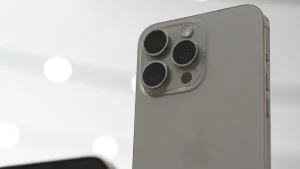
Dirty or Smudged Camera Lens
One of the simplest and most overlooked causes of blurry photos is a dirty camera lens. Dust, fingerprints, pocket lint, or oil can reduce image quality and interfere with autofocus accuracy.
Cleaning the camera lens with a soft microfiber cloth often restores normal performance. Avoid using tissues, paper towels, or harsh cleaning chemicals, as they may scratch the lens coating.
Software Glitches
Software-related issues are another common reason why the iPhone 15 camera fails to focus. Temporary bugs, incomplete software updates, or conflicts within the Camera app can interrupt autofocus functionality.
Restarting the device, closing and reopening the Camera app, and installing the latest version of iOS can often resolve these problems.
Physical Impact or Accidental Drops
Although the iPhone 15 is built with durable materials, accidental drops can damage the delicate autofocus mechanism inside the camera module.
Physical damage may cause:
- Constant blurry photos
- Camera shaking
- Clicking noises
- Failure to focus at any distance
- Black screen when opening the camera
Even if the screen remains intact, internal camera components may still be damaged.
Water or Moisture Damage
The iPhone 15 is water-resistant, but it is not completely waterproof. Prolonged exposure to water, steam, or other liquids can damage sensitive camera components.
Signs of moisture damage include:
- Fog inside the camera lens
- Blurry images
- Camera error messages
- Autofocus failure
- Random camera app crashes
If moisture damage is suspected, professional inspection is the safest option.
Damaged Camera Module
The autofocus motor inside the camera module is responsible for adjusting the lens automatically. If this motor fails, the camera may never achieve a clear focus regardless of lighting conditions.
A damaged camera module usually requires replacement because internal autofocus components cannot typically be repaired individually.
Faulty Camera Connector
The camera communicates with the iPhone’s motherboard through a small connector cable. If this connector becomes loose or damaged, autofocus and other camera functions may stop working correctly.
Professional technicians inspect these connections during the diagnostic process before replacing any hardware.
Third-Party Accessories
Some magnetic phone mounts, camera lens attachments, and poorly designed protective cases can interfere with the autofocus system.
Removing these accessories and testing the camera again can help determine whether they are contributing to the problem.
Simple Troubleshooting Before Choosing Repair
Before visiting a repair center, several simple troubleshooting steps can help determine whether the issue is software-related.
Clean the Camera Lens
A clean lens allows the autofocus system to detect subjects more accurately.
Use a dry microfiber cloth to remove fingerprints and dust from the camera lenses.
Restart the Device
Restarting the iPhone clears temporary system errors that may affect camera performance.
This simple step often resolves minor autofocus problems caused by software glitches.
Update iOS
Apple regularly releases software updates that improve camera performance and fix bugs affecting autofocus.
Keeping the device updated ensures optimal compatibility with the camera hardware.
Test Different Camera Modes
Open the Camera app and test several modes, including:
- Photo
- Video
- Portrait
- Panorama
- Macro
If the problem appears only in one mode, software is more likely to be responsible.
Remove the Phone Case
Some thick or poorly fitting phone cases partially cover the camera or interfere with focusing sensors.
Testing the camera without the case is a quick way to eliminate this possibility.
Check Third-Party Camera Apps
Open another camera application and compare the results.
If autofocus fails in every camera app, hardware damage becomes much more likely.
When Professional Camera Repair Is Necessary
Basic troubleshooting may resolve minor software issues, but persistent focusing problems often indicate hardware damage. Continuing to use a faulty camera can lead to poor photo quality and, in some cases, additional internal damage.
Professional repair is recommended when:
- The camera remains blurry after cleaning the lens.
- Autofocus never locks onto a subject.
- The camera shakes or vibrates continuously.
- Clicking noises come from the camera module.
- Photos remain blurry in every application.
- The camera lens is cracked or scratched.
- The device was dropped before the problem started.
- Water exposure occurred shortly before autofocus stopped working.
A professional diagnosis helps identify the exact cause, preventing unnecessary repairs and ensuring that only the damaged components are replaced.
iPhone 15 Camera Repair Options
The right repair depends on the underlying cause of the focusing issue. After a complete diagnostic inspection, technicians recommend the most effective solution.
Camera Module Replacement
If the autofocus motor or internal camera sensor is damaged, replacing the rear camera module is the most reliable solution. A new camera module restores sharp image quality, fast autofocus, stable video recording, and proper Portrait Mode functionality.
Camera Lens Glass Replacement
Sometimes the internal camera remains fully functional, but the outer lens glass becomes cracked after an impact. Replacing only the lens glass restores protection and image clarity without replacing the complete camera assembly.
Camera Connector Repair
Loose or damaged connectors can interrupt communication between the camera and the logic board. Repairing or replacing the connector restores proper camera functionality when the module itself is still in good condition.
Logic Board Repair
In rare situations, the camera problem originates from the logic board rather than the camera module. Skilled technicians use advanced diagnostic equipment to identify and repair these faults without replacing unnecessary components.
Why Choose Just Fix UAE for iPhone 15 Camera Repair?
At Just Fix UAE, every repair begins with a detailed inspection to identify the exact cause of the problem. Our experienced technicians use professional repair tools and high-quality replacement parts to restore your iPhone 15 camera to optimal performance.
Our repair services include:
- Complete camera diagnostics
- Same-day repair for many camera issues
- High-quality replacement components
- Transparent pricing with no hidden charges
- Experienced technicians
- Warranty on eligible repairs
- Fast turnaround times
- Excellent customer support
Whether the issue is caused by accidental damage, autofocus failure, or water exposure, our team is committed to delivering reliable repairs that restore your device’s performance.
Tips to Prevent Future Camera Focus Problems
Proper care can significantly extend the lifespan of your iPhone camera.
Follow these recommendations:
- Keep the camera lens clean at all times.
- Use a durable protective case.
- Avoid dropping the device.
- Protect the phone from excessive moisture.
- Install iOS updates regularly.
- Avoid exposing the device to extreme temperatures.
- Remove magnetic accessories if they interfere with camera performance.
- Store the phone safely when not in use.
Simple preventive measures reduce the risk of future camera repairs and help maintain excellent image quality.
Frequently Asked Questions
Why does my iPhone 15 camera keep going out of focus?
This can happen because of a dirty lens, software issues, physical damage, or a faulty autofocus mechanism inside the camera module.
Can a software update fix autofocus problems?
Yes. If the issue is caused by software, updating iOS or restarting the device may resolve the problem.
Does dropping an iPhone damage the camera?
Yes. Even a minor fall can damage the autofocus motor or internal camera components, resulting in blurry photos and focusing problems.
How long does an iPhone 15 camera repair take?
Most camera repairs can be completed within the same day, depending on the nature of the issue and the availability of replacement parts.
Is repairing the camera better than replacing the phone?
In most situations, repairing the camera is much more affordable than purchasing a new device, especially when the rest of the phone is functioning normally.
Conclusion
A camera that fails to focus can significantly reduce the performance of the iPhone 15, affecting photography, video recording, and everyday use. While simple issues such as a dirty lens or software glitch may be resolved with basic troubleshooting, persistent autofocus problems often indicate hardware damage that requires professional attention.
Choosing an experienced repair provider ensures accurate diagnosis, reliable repairs, and long-lasting performance. At Just Fix UAE, our skilled technicians provide professional iPhone 15 camera repair services using quality replacement parts and industry-standard repair techniques, helping restore sharp focus, clear images, and dependable camera performance with minimal downtime.