


iPhone Screen Repair – Common Issues, Replacement Options & What to Know
Introductions:
The iPhone is one of the most widely used smartphones in the world, known for its sleek design and advanced display technology. However, despite its durability, the screen remains one of the most vulnerable parts of the device. A simple drop or accidental impact can result in cracks, touch issues, or display problems. Understanding iPhone screen repair, including common issues and available replacement options, can help you make informed decisions and extend the life of your device.
Common iPhone Screen Repair Issues
iPhone screens are made with high-quality materials, but they are not immune to damage. Below are some of the most common problems users face:
- Cracked or Shattered Screen

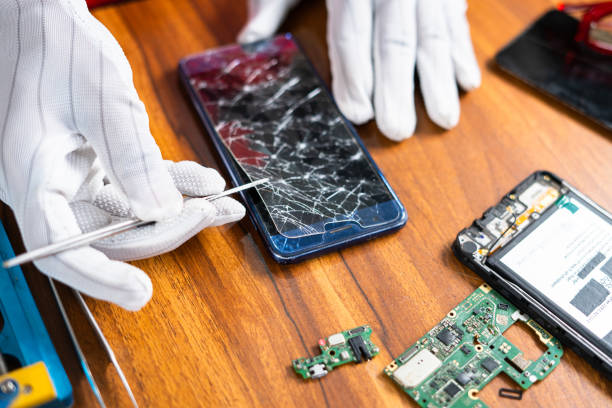
A cracked screen is the most common issue. Even a minor crack can spread over time, affecting visibility and touch performance. In severe cases, the glass may shatter completely, making the device unsafe to use.
- Unresponsive Touchscreen
Sometimes, the screen may appear fine but fails to respond properly to touch. This can be caused by internal damage to the digitizer layer, which controls touch sensitivity.
- Display Issues (Lines, Flickering, Black Screen)
Vertical lines, screen flickering, or a completely black display are signs of internal display damage. These issues often require full screen replacement rather than minor repairs.
- Dead Pixels or Discoloration
Dead pixels appear as small black or colored spots on the screen. Discoloration or uneven brightness can also occur due to damage or wear over time.
- Touch Lag or Ghost Touch
Ghost touch refers to the screen responding without any input, while touch lag causes delayed response. Both issues can interfere with normal device usage.
Causes of iPhone Screen Damage
Understanding the causes of screen damage can help prevent future issues:
- Accidental drops
- Pressure from heavy objects
- Exposure to moisture
- Manufacturing defects (rare cases)
- Wear and tear over time
Using protective accessories can significantly reduce the risk of damage.
iPhone Screen Replacement Options
When your iPhone screen is damaged, there are several replacement options available. Choosing the right one depends on budget, quality expectations, and device condition.
- Genuine (Original) Screen Replacement
Original screens are identical to the ones used by the manufacturer. They offer:
- Best display quality
- Accurate touch response
- Long-lasting performance
This option is ideal for users who want to maintain the original look and performance of their device.
- Premium Compatible Screens
High-quality compatible screens are designed to match original performance closely. They are more affordable than genuine screens while still offering good display clarity and responsiveness.
- Low-Quality Replacement Screens
These are cheaper alternatives but often come with drawbacks such as poor brightness, weak touch sensitivity, and shorter lifespan. While they may save money initially, they can lead to repeated repairs.
Factors to Consider Before Repair
Before choosing a repair option, consider the following:
- Cost vs Quality
Lower-cost repairs may use inferior parts, leading to future issues. Investing in quality components ensures better long-term performance.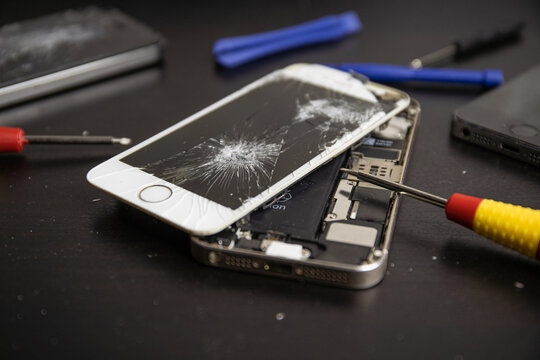
- Technician Expertise
A skilled technician ensures proper installation and testing. Poor installation can damage other components.
- Warranty and Service Guarantee
Reliable repair services often provide warranties on parts and labor, giving customers peace of mind.
- Turnaround Time
Depending on the repair service, screen replacement can take anywhere from 30 minutes to a few hours.
How Long Does iPhone Screen Repair Take?
Most professional repair services can replace an iPhone screen within the same day. Simple screen replacements are often completed quickly, while more complex repairs may take longer if additional issues are detected.
Tips to Protect Your iPhone Screen
Preventing damage is always better than repairing it. Here are some practical tips:
- Use a high-quality screen protector
- Install a durable phone case
- Avoid placing heavy objects on your phone
- Keep your phone away from water
- Handle your device carefully
These steps can significantly reduce the chances of screen damage.
When to Repair vs Replace Your iPhone
Sometimes users wonder whether to repair the screen or replace the entire device. Screen repair is usually the better option when:
- The device is still functioning well
- The damage is limited to the screen
- Repair costs are significantly lower than replacement
Replacing the device may be considered if there are multiple hardware issues or the repair cost is too high.
Why Professional Repair Services Matter
Choosing a professional repair service ensures that your device is handled correctly. Experts use proper tools, follow safe procedures, and test the device after repair.
Professional services also reduce the risk of further damage and ensure that the repaired screen performs as expected.
Conclusion
iPhone screen damage is a common issue, but it doesn’t have to mean the end of your device. By understanding the types of problems, available replacement options, and key factors to consider, you can make informed decisions about repair.
Choosing quality parts and experienced technicians ensures that your iPhone continues to perform reliably after repair. With proper care and protection, you can also minimize the chances of future damage and extend the lifespan of your device.